
Work order management software that runs itself
Requests come in, work gets assigned, and everyone stays in the loop - from intake to completion, with every hour and dollar logged automatically.
Lose zero requests
Every request becomes a tracked work order with an owner, a priority, and a due date - no more sticky notes, texts, and forgotten emails.
Close work faster
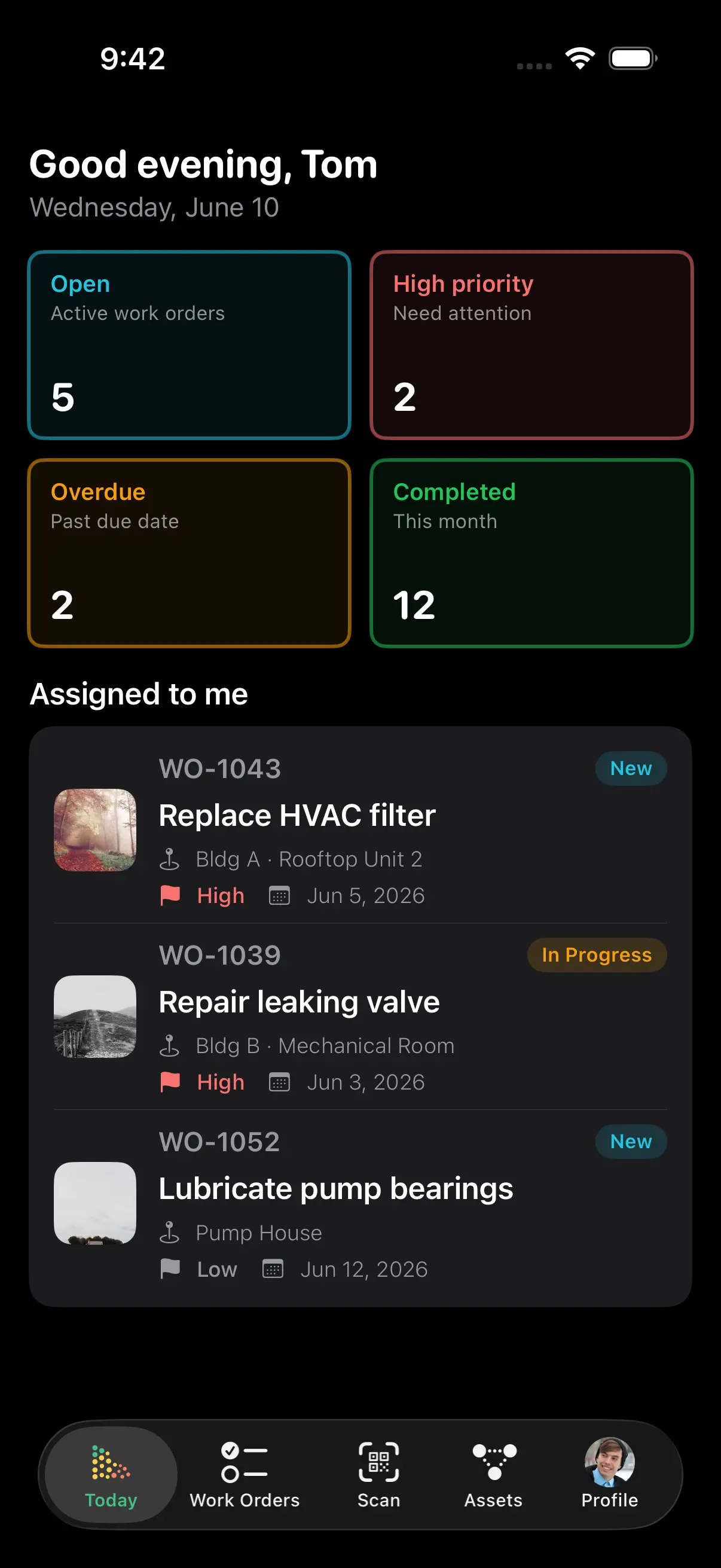
Auto-assignment and notifications keep work moving on its own - no chasing technicians or status updates.
Know what every job costs
Labor, parts, and vendor charges are captured on every work order and roll up to each asset automatically.
From request to done - without the chasing
Every work order follows a simple four-status path: NEW → ASSIGNED → IN PROGRESS → COMPLETED. No confusion about what's next, and no status meetings to find out where things stand.
- Assign by skill, location, or workload in one click
- Four priority levels, from URGENT to LOW, set response order
- Technicians are notified instantly with full job details
- Requesters get automatic updates - no "any news?" emails
Requests come in from anywhere - and contractors don't need a login
Staff use the request portal. Tenants and the public can simply send an email. Outside trades work from a shared link. Every path lands in the same queue, and the conversation with the requester travels with the job from request to closed work order.
- Work requests by email - dedicated intake addresses like acme-staff-requests@requests.assetlab.ca; anyone who emails one creates a request with no account, portal, or app. Create as many addresses as you need, each with its own defaults and its own rules about who may use it.
- Two-way conversations on requests - a live message thread between requester and staff, emailed on reply and badged unread in both the portal and the app. The thread follows the request onto the work order it becomes.
- Shared work order links - send a contractor a secure link to one job. Expiry from 24 hours to never, view-only by default, or allow completion so they can update progress and fill the attached form without an account.
- Inspection forms on the job - pass/fail checks, number readings, text, and required photos, with conditional items that appear only when an earlier answer warrants them. Answers are data you can filter and report on, not a PDF.
- Email intakeacme-staff-requests@requests.assetlab.caNo account, portal, or app - the email becomes a work request
- Request portalStaff and tenants submit with photosTwo-way thread, emailed on reply, badged unread
- Shared contractor linkOne job · expires in 7 days · allow completionProgress, photos, and the inspection form - no login
- Inspection formPass/fail · readings · photo requiredAnswers stored as data - filter and report on them
One queue, five ways to see it
Managers scan a sortable list. Teams drag cards across a Kanban board. Planners schedule on a calendar. Dispatchers work the map. Switch views instantly - it's the same work, shown the way each role thinks.
- List view with sorting, filters, bulk actions, and a photo count on jobs that carry visual evidence
- Kanban board - drag a card to change its status
- Calendar view for planning daily and weekly schedules
- Card view with photo previews for visual browsing
- Map view on every plan - give a building a map position and its work orders draw as pins there, clustered and coloured by status with a red ring when overdue. A work order lands at the building it resolves to: the building on the work order, or the building of the asset or location it targets
- Technicians' day plans are numbered routes on that map - click pins to add stops, drag to reorder or let AssetLab suggest the shortest order, and hand each stop to your phone's maps app. Staff plan their own day, Managers plan anyone's
- Every queue filter narrows the pins the way it narrows the list, and the Facilities / Infrastructure switcher drives both. On the infrastructure side the network draws underneath in grey so the status colours stay readable. See the Infrastructure module
Create and close work orders from the field
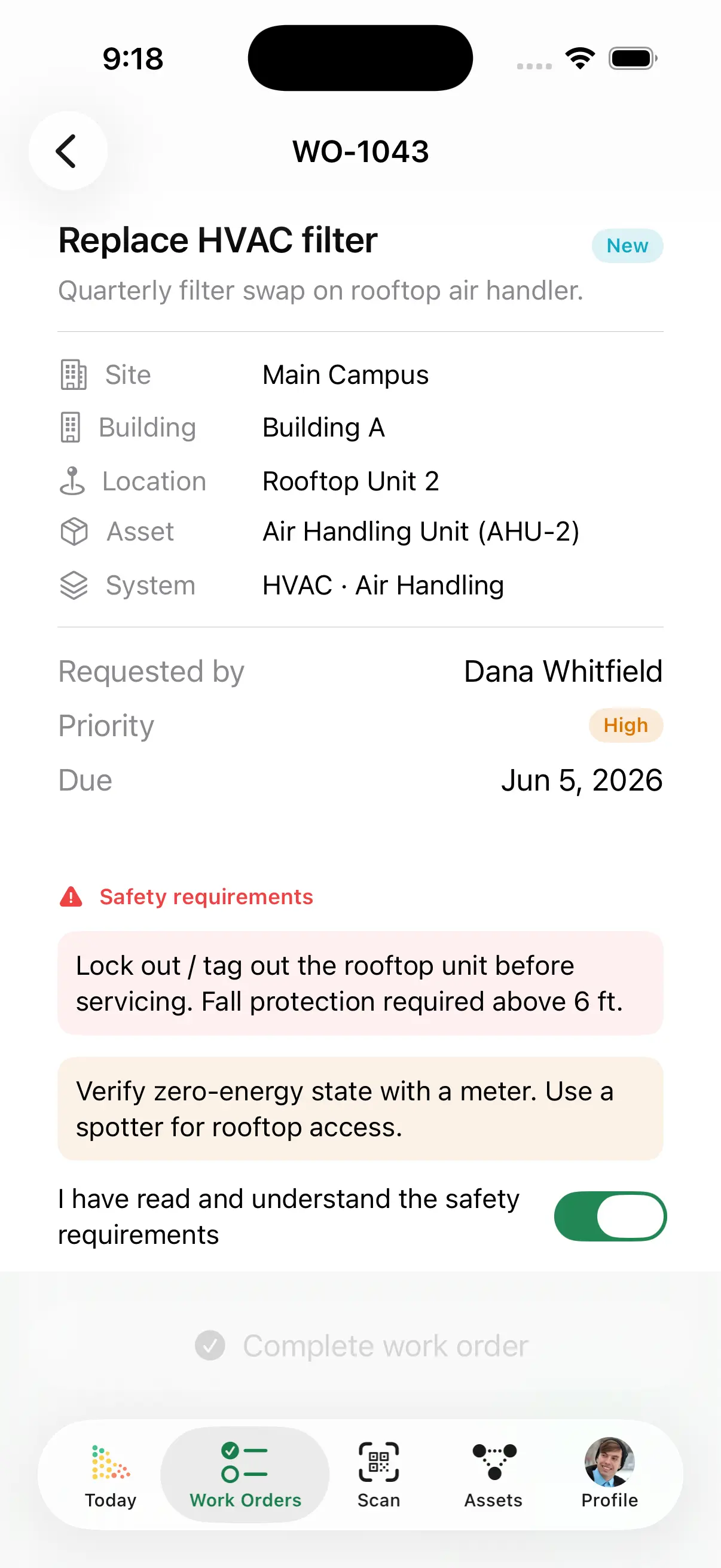
Every asset gets a QR code automatically. Technicians scan it with any phone and the asset's open work orders, history, and documents are right there - no trips back to the office, no paper to transcribe later.
- Scan a QR code to open the asset and its open work
- Add photos, log parts and hours, and complete jobs on the spot
- Staff report issues through the self-service request portal
Every job priced, automatically
Labor hours, parts used, and vendor invoices are captured as work happens and roll up into each asset's total cost of ownership - so you know what maintenance really costs, asset by asset.
- Labor logged at technician or team rates
- Parts auto-deducted from inventory with costs attached
- Spot money-pit assets before the next budget cycle
And everything else you'd expect
"Work orders are straightforward to create and track, and the asset history gives me clarity when troubleshooting ongoing problems. In supportive housing, things move quickly - units turn over, maintenance issues arise unexpectedly, and documentation matters. AssetLab has helped bring more structure and visibility to our maintenance program."
Stop Chasing.
Start Completing.
Join organizations across Canada using AssetLab to eliminate lost requests, accelerate response times, and track every maintenance dollar.
No credit card required
Keep Learning About Work Orders
Work Order Management Best Practices
How high-performing teams structure intake, priorities, and completion workflows.
What Is CMMS? A Complete Guide
Learn how computerized maintenance management systems streamline work orders and maintenance.
Mobile CMMS Guide
How field teams use QR codes and mobile access to cut trips back to the office.
Maintenance KPIs That Matter
The metrics that show whether your work order process is actually improving.
Total Cost of Ownership in a CMMS
How work order costs roll up into asset TCO and drive repair-or-replace decisions.
Reactive vs Preventive Maintenance
The real cost difference between fighting fires and preventing them - with the data to prove it.
Work Order Software FAQ
Common questions about work orders, mobile access, cost tracking, and how AssetLab fits your team.
What is work order management software?
Work order management software digitizes the full life of a maintenance task - from request intake through assignment, execution, and completion - in one shared system. Every work order carries its asset, priority, due date, checklist, photos, and costs, so nothing lives in email threads or on paper tickets.
What is the difference between a work order and a work request?
A work request is how an issue gets reported - by staff, tenants, or field teams. A work order is the approved, assigned task your maintenance team executes. In AssetLab, requests flow into a review queue and convert to work orders in one click, keeping a clean separation between reporting and doing.
How do technicians use work orders in the field?
Every asset gets a QR code automatically. Technicians scan it with any phone to open the asset's record and its open work orders - then add photos, log parts and hours, and mark work complete on the spot. No app install required. See the mobile CMMS guide for details.
Can staff or tenants submit maintenance requests?
Yes. The self-service work request portal lets anyone report an issue with a description and photos - no login or training needed. Your organization also gets dedicated intake email addresses (like acme-staff-requests@requests.assetlab.ca): anyone who emails one creates a work request with no account, portal, or app. Requests route to your team automatically, and a two-way message thread keeps the requester in the loop - emailed on reply, badged unread in the portal and the app - which eliminates the "any update on this?" follow-up emails.
Can a contractor update a work order without an AssetLab account?
Yes. Send a contractor a secure shared link to one job. Set an expiry from 24 hours to never; links are view-only by default, or tick "allow completion" so the contractor can update progress, attach photos, and fill in the attached inspection form - all without an account. Vendor labor and invoices still land on the work order's cost record.
Can I attach an inspection form to a work order?
Yes. Build inspection forms with pass/fail checks, number readings, text, and photos - including conditional items that only appear when an earlier answer warrants them, and items that require a photo. Attach a form to a work order or a PM schedule, and answers come back as data you can filter and report on, not a PDF. Forms are also available through the REST API and MCP.
How does work order cost tracking work?
Each work order captures labor hours at technician rates, parts drawn from inventory, and vendor invoices. Costs total automatically and roll up into the asset's total cost of ownership - so repair-or-replace decisions are backed by real numbers.
Can I see facility work orders on a map, or is that infrastructure only?
The work order Map view used to be infrastructure-only; it is not any more. On the Facilities workspace a work order draws at the building it resolves to - the building on the work order, or the building of the asset or location it targets - with the same clustering, filters, summary panel and technician day plans the infrastructure side has. It unlocks as soon as one of your buildings has a map position, on any plan. Day plans are numbered routes you build by clicking pins, with a shortest-order suggestion and a Navigate hand-off to your phone's maps app; Staff plan their own day and Managers plan anyone's.
How much does work order software cost in Canada?
US-based platforms typically charge $20-100 USD per user per month with key features gated behind higher tiers. AssetLab offers transparent, published CAD pricing from $45 per user/month - covering work orders, the request portal, mobile QR access, and cost tracking. See pricing for details.