Asset management software that knows every asset
Every asset, organized by what it is and where it is - with its history, costs, condition, and documents one scan away.
Find any asset in seconds
Organize assets by what they are and where they are - and pull up any record, from either direction, in two clicks.
Know what everything costs
Purchase, maintenance, and operating costs roll up per asset, building, and site - so money pits surface before the budget cycle.
Plan replacements ahead
Condition and risk scoring tell you what to fix, what to monitor, and what to budget for - years in advance.
The cost of disorganized assets
Scattered spreadsheets and filing cabinets quietly drain hours and budget every week. A single system of record for every asset puts that time - and that money - back where it belongs.
Searching for assets
Hunting through spreadsheets, filing cabinets, and inboxes for asset history, serial numbers, and manuals eats hours from every technician, every week.
Per emergency repair
When you cannot see condition or maintenance history, failures arrive without warning - and emergency repairs cost far more than planned work.
Manual documentation
Re-keying readings, updating disconnected spreadsheets, and reconciling records by hand is work a single shared system of record removes entirely.
Organized the way your team thinks
Maintenance thinks by system type. Operations thinks by building. AssetLab organizes every asset both ways at once, so questions like "all chillers in Building A" or "HVAC budget by site" are answered in seconds.
- System hierarchy: Class → Group → System (what it is)
- Location hierarchy: Site → Building → Location (where it is)
- Parent/child assets - link components to a parent like a chiller plant
- Filter, report, and budget along either dimension
Fix what matters first
Score each asset by likelihood and consequence of failure, and your portfolio ranks itself - so attention and budget go where the risk actually is.
- Two scores per asset - no complicated formulas to maintain
- Rankings update automatically as condition changes
- Defensible priorities for budget requests and audits
See the portfolio, not the spreadsheet
Give a building a latitude and longitude and your asset register gains a Map view. Each placed building draws as one pin, coloured by its condition, sized by the replacement value of the assets inside it, and labelled with how many there are. The worst building on the campus is the one you can see from across the room.
- Click a pin for the rollup - FCI with both figures behind it, replacement value, value per square foot, the building's condition mix, and the four system classes carrying the most value
- Position lives on the building, not the site, so each building on a campus gets its own pin instead of six stacking on one address
- Every figure is computed from the assets your filters return - filter to HVAC and you get HVAC value per building
- A building whose assets carry no purchase cost draws grey and says so: missing data, not a clean bill of health
- Type the coordinates or click Pick on map to drop a pin and drag it onto the roof. They are available over the REST API and to AI assistants too
Scan a QR code, get the full story
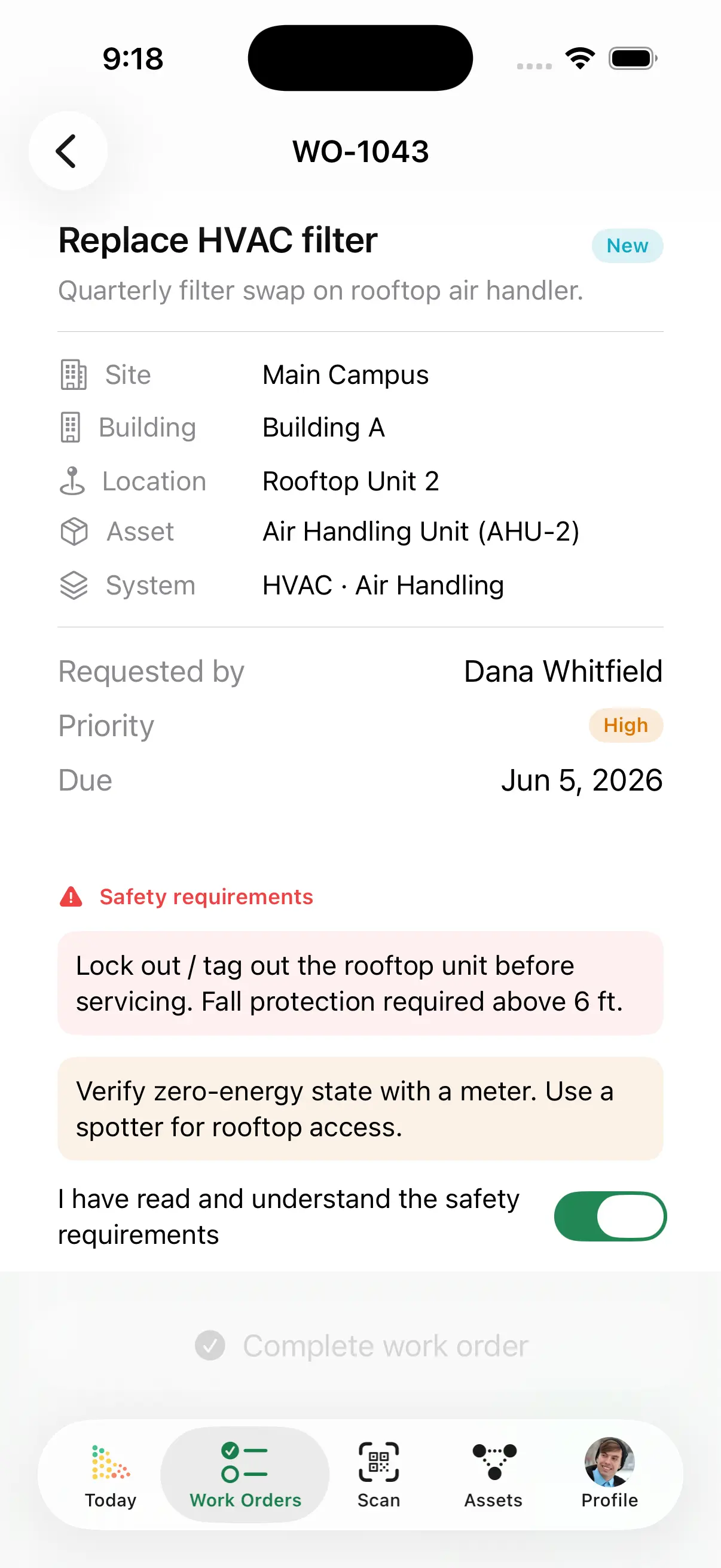
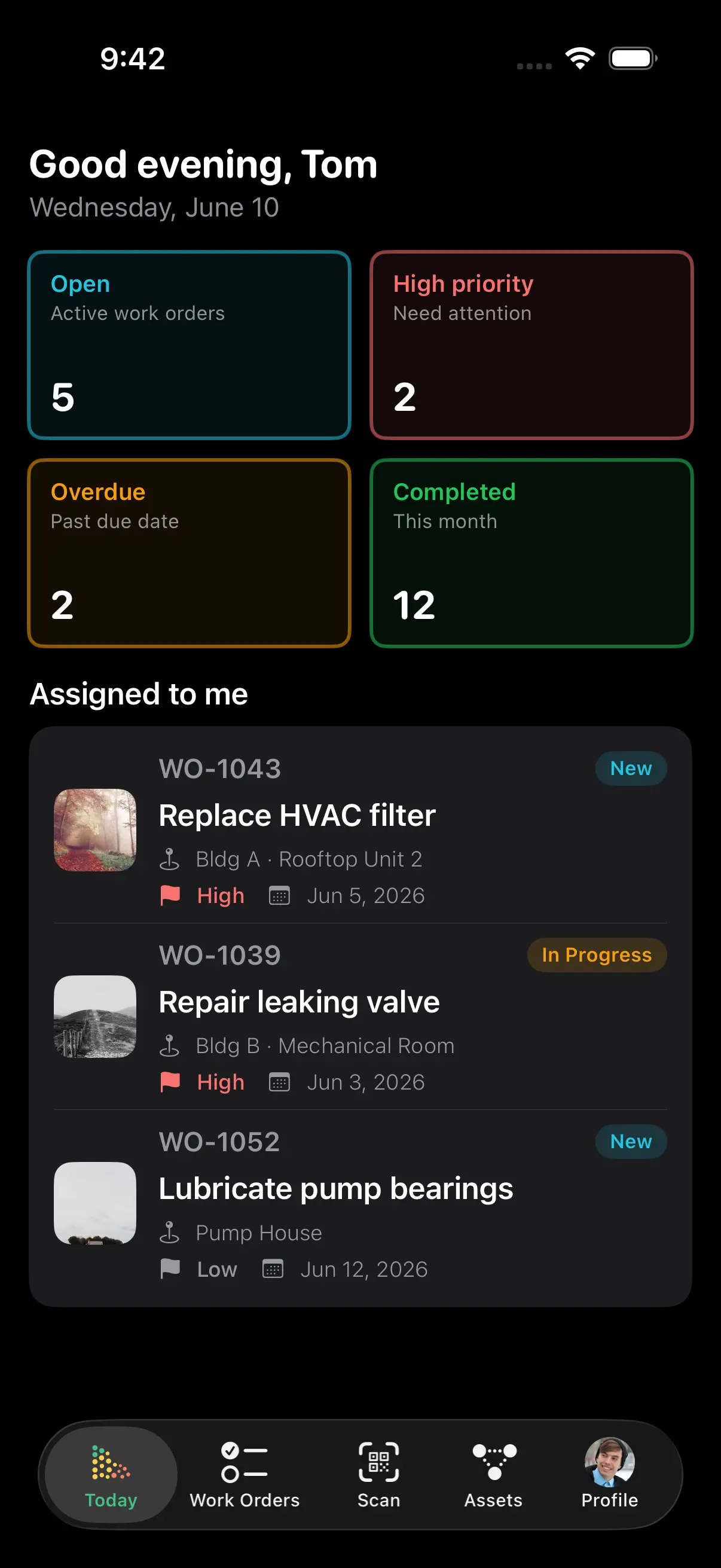
Every asset gets a QR code automatically. Scan it with any phone and the complete record opens - no trips back to the office, no hunting through filing cabinets. Field teams report saving 10+ hours per week.
- Complete maintenance history and documents
- Parts, specifications, and open work orders
- Report issues or create work orders on the spot
Condition data that stays current
Log an inspection and the asset's condition score, replacement forecast, and risk ranking update instantly - from purchase to disposal, the record keeps itself.
- Field inspections update condition scores in real time
- Log downtime events to track total downtime and its cost per asset
- Condition drives replacement year and capital forecasts
- Every change logged in the asset timeline for audits
Track every dollar across the asset lifecycle
From purchase to disposal, AssetLab captures every cost against the asset that incurred it - so each record carries its true total cost of ownership and feeds an accurate capital forecast.
Purchase & warranty
Capture acquisition cost, in-service date, expected lifetime, and warranty terms when each asset is added - the baseline every forecast builds on.
Maintenance & repair
Labour, parts, and vendor costs from every work order roll up against the asset automatically, building its running total cost of ownership.
Operating & replacement
Energy, operating, and projected replacement costs feed the capital forecast, so repair-or-replace decisions are made on data, not guesswork.
And everything else you'd expect
"AssetLab makes it easy to track assets by both system and location, which helps me see patterns, manage recurring issues, and make informed decisions instead of reacting blindly. The asset history gives me clarity when troubleshooting ongoing problems."
Stop Searching.
Start Managing.
Join organizations tracking billions in assets with AssetLab. Get started in minutes, not months.
No credit card required
Keep Learning About Asset Management
Smart Asset Classification
How hierarchical classification lets you see your entire portfolio at a glance.
How to Create an Asset Management Plan
A comprehensive guide using ISO 55000 and industry frameworks.
ISO 55000 Asset Management
What the international asset management standard means for your organization.
QR Code Asset Management
How QR labels give field teams instant access to asset history and documents.
Condition Assessment Guide
How to run condition assessments that feed reliable replacement forecasts.
Best Asset Management Software in Canada
An honest comparison of the Canadian asset management landscape.
Asset Management Software FAQ
Common questions about asset tracking, QR codes, pricing, and how AssetLab fits your organization.
What is asset management software?
Asset management software is a centralized registry of everything your organization owns and maintains - equipment, building systems, and infrastructure - with each asset's location, condition, costs, documents, and maintenance history attached. It replaces spreadsheets and filing cabinets with a single searchable system of record that your whole team shares.
What is the difference between asset management software and a CMMS?
A CMMS manages the work (work orders, PM schedules, parts), while asset management software manages the assets themselves (registry, condition, lifecycle, replacement planning). The two work best together - in AssetLab they share one database, so every work order automatically enriches the asset's history and cost record. Read the full comparison.
How does QR code asset tracking work?
AssetLab generates a unique QR code for every asset automatically. Print it as a label, and anyone who scans it with a phone opens that asset's full record - history, documents, parts, and open work orders - and can report an issue on the spot. No app install or manual asset-ID lookup needed. See the QR code asset management guide.
Do I need the Infrastructure module to see my assets on a map?
No. Map views of your facilities are on every plan, including the entry-level CMMS plan. Give a building a latitude and longitude - type the coordinates, or click Pick on map to drop a pin and drag it onto the roof - and the Buildings tab gains a list/map switch and the asset register gains a Map view. Position lives on the building rather than the site, so each building on a campus gets its own pin instead of six stacking on one address. The Enterprise Infrastructure module adds something different: the vector-tile GIS map of linear networks themselves, roads and mains and sewers drawn as segments and nodes coloured by condition, along with Esri sync, routes and corridors.
How much does asset management software cost in Canada?
US-based platforms typically charge $20-100 USD per user per month with features split across tiers. AssetLab offers transparent, published CAD pricing from $45 per user/month - covering asset registry, QR codes, risk scoring, lifecycle tracking, and reporting. See pricing for details.
How do I import my existing asset data?
Import your asset registry from Excel or CSV - sites, buildings, locations, system classifications, purchase data, and custom fields all map in. Most teams have their full portfolio loaded within days, with guided onboarding and no external consultants required.
Can AssetLab forecast when assets need replacement?
Yes. Each asset's age, expected lifetime, condition score, and maintenance costs feed a predicted replacement year and capital forecast. The asset replacement planner rolls this up across your portfolio so you can budget years ahead instead of reacting to failures.